People don’t think in filters. They type what’s on their mind: “sofa vancouver”, “used bike”, “apartment near me”. A good marketplace search should understand that one line can include a keyword, a place, or a category – sometimes all at once.
That’s why we built “smart search” on Claz. As you type, it suggests keywords, locations, and categories together, with small hints when something matches indirectly – so it’s clear why it showed up. You can also refine your choices without getting stuck, especially on mobile where the search experience needs to be fast and forgiving.
The result: fewer steps, less guessing, and a quicker path from “I have an idea” to “here are the listings I want”.
This is just the start. We’ll keep improving suggestions, relevance, and speed so search feels less like configuring filters and more like simply asking for what you want.
Listing something online usually means filling out forms — picking the right category, entering details one by one, formatting everything just right.
Claz strives for simplicity — but that doesn’t mean giving up on structure. Relevant details matter. They help people find what they’re looking for, and they help the site deliver better results. The problem is that filling in all those details is tedious, time-consuming, and inconvenient. Most services make people do more to get better results. At Claz, we make AI do more instead.
Claz has always worked to fill in structured data behind the scenes, with as little friction as possible. AI has become a powerful tool in making that happen at a completely different scale.
Extracting what’s already there
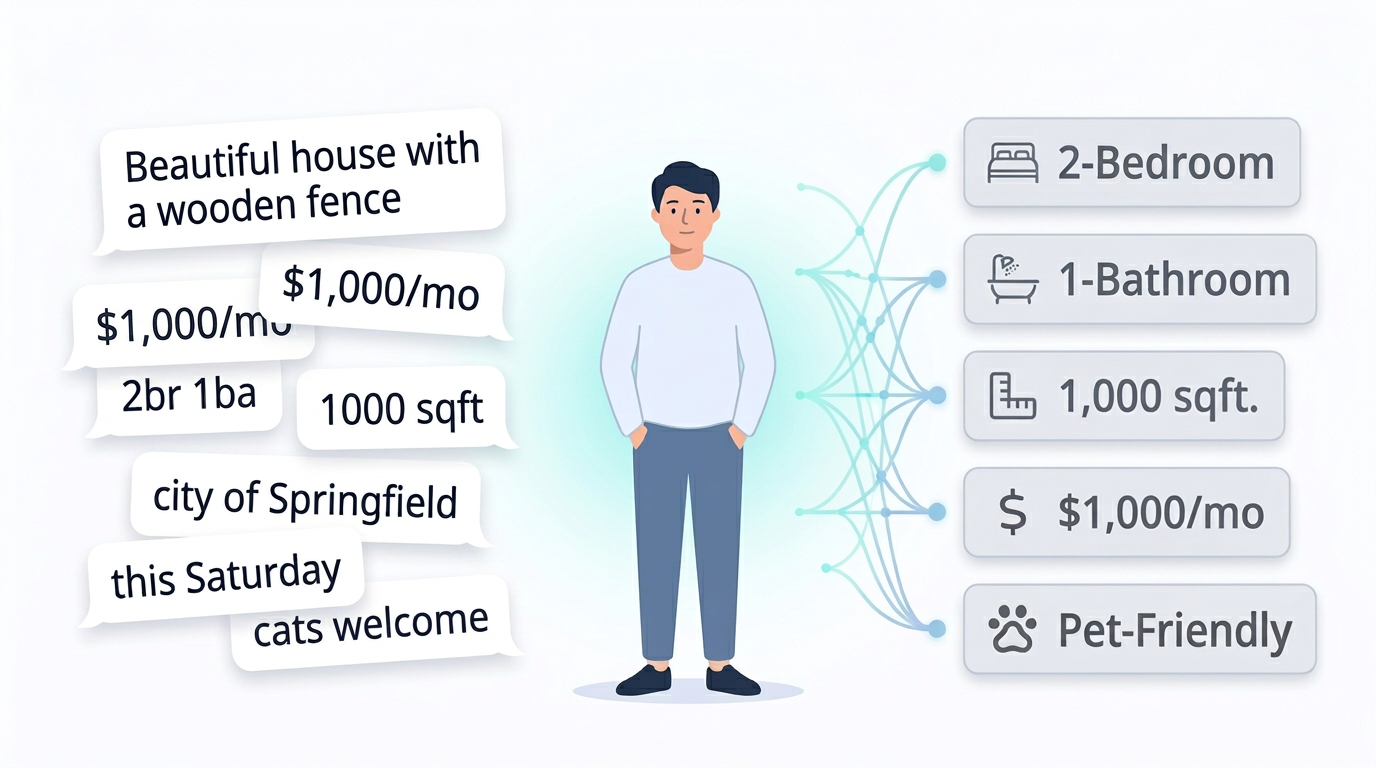
When someone lists something on Claz, AI reads what they wrote and fills in the details — price, location, dates, and dozens of other specifics depending on what’s being listed.
Someone writes “$1,000/mo, 2br, downtown” — AI picks up the price, bedroom count, and fills in the right fields. A garage sale flyer has the address on it — AI reads it. Someone writes “this Saturday” — AI resolves the actual date.
The information is already there. We make AI put it where it belongs — so users don’t have to.
Asking for what’s missing
Every type of listing on Claz has its own set of expected details. A rental needs bedrooms, bathrooms, and square footage. A dog adoption needs the breed. A garage sale needs a date and an address. AI knows what’s expected — and what’s still missing.
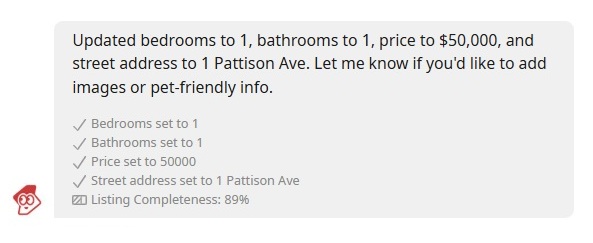
When something important is absent, an AI assistant reaches out in chat — the same chat used for regular conversations between buyers and sellers. It asks a simple question. The user replies naturally — “1000, 123 Main Street, ap. 7” or “2 br 2 ba” — and the assistant fills in the details on the spot.
It all happens in a quick back-and-forth — no forms, no extra steps — and the listing becomes significantly more complete without the user doing more.
Claz has always worked to take care of the details quietly and only reach out when something is truly missing. AI lets us do that better and at a much greater scale.
Everything at Claz is created by real people. We make AI work harder so their listings work harder for them.
There's a growing trend in tech: companies racing to put AI front and center. AI-generated descriptions. AI-written titles. AI badges everywhere.
At Claz, we do things differently.

We believe AI works best when users don't notice it.

We've been always at the forefront of integrating AI into our platform for spam prevention, content classification and enrichment.
We've been consistently rolling out improvements that use machine learning and artificial intelligence to make user experience smoother.

We aim at removing friction, not creating new distractions.

This is our philosophy, it's how we operate. We think this is what responsible use of AI looks like: invisible when it's not needed, helpful when it is.
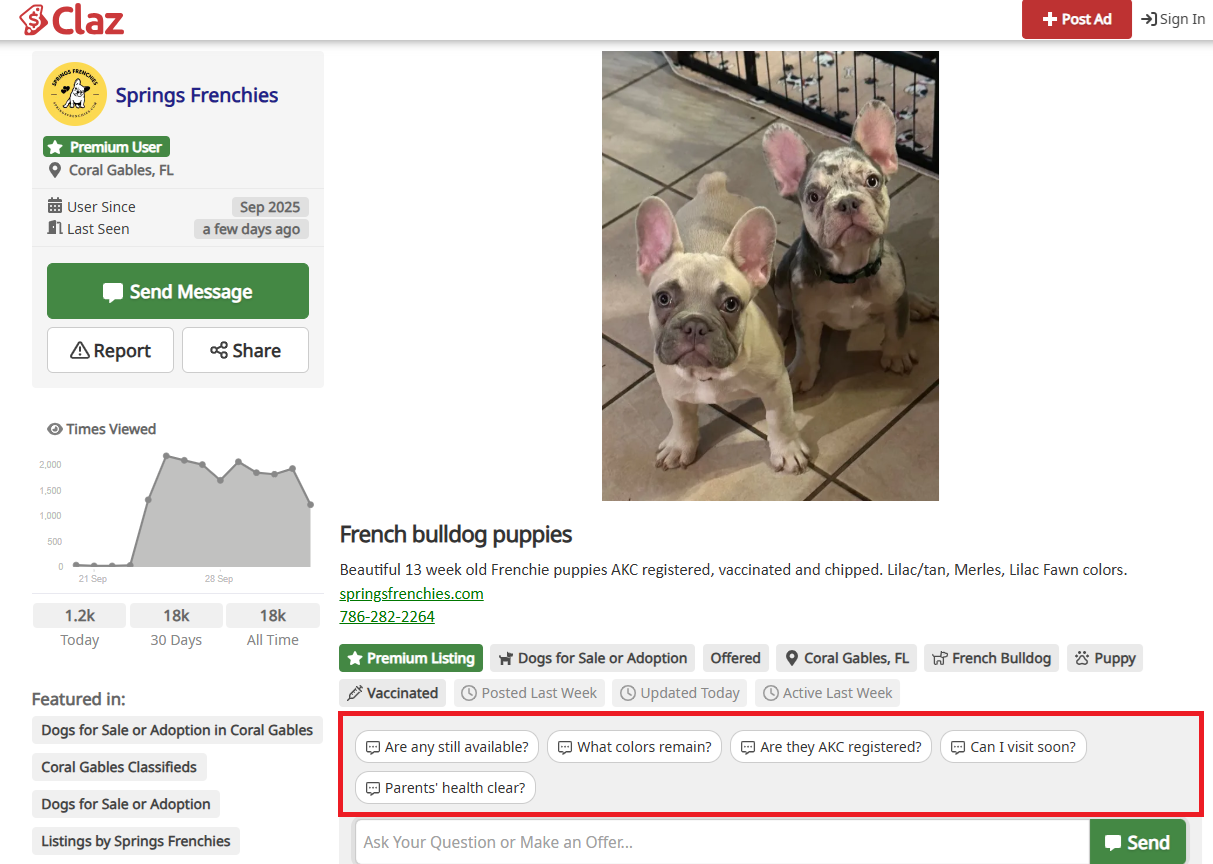
We’ve just rolled out a big improvement to how people interact with listings. Our new AI-powered Quick Question blocks are now automatically adapted to each listing’s content.
Instead of generic “ask seller” prompts, the system analyzes the ad and generates the most relevant quick questions — for example, availability, condition, documentation, or specific product details.
This makes it easier for buyers to:
Save time by asking the right questions instantly
Get more accurate information about the item or service
Start conversations faster with sellers
For sellers, it means more qualified leads and fewer repetitive questions.
This update is another step toward making online buying and selling smoother, smarter, and more human-friendly.
👉 We’d love your feedback:
What else would you like Quick Questions to cover?
Are there scenarios where they don’t add value?
Share your thoughts on our Review page or contact us directly — we’d love to hear your feedback.
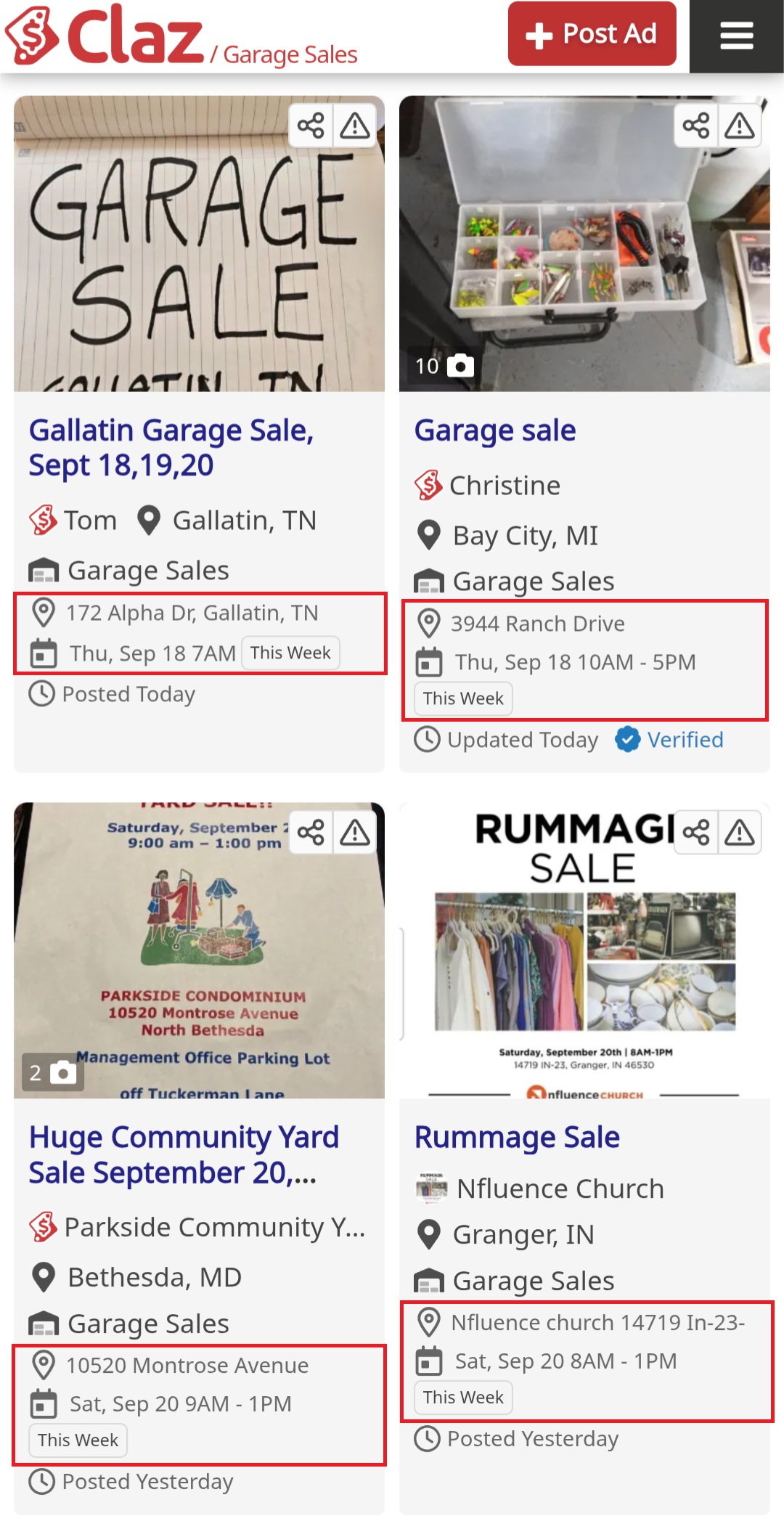
We’ve shipped several improvements to enhance the garage sales browsing experience.
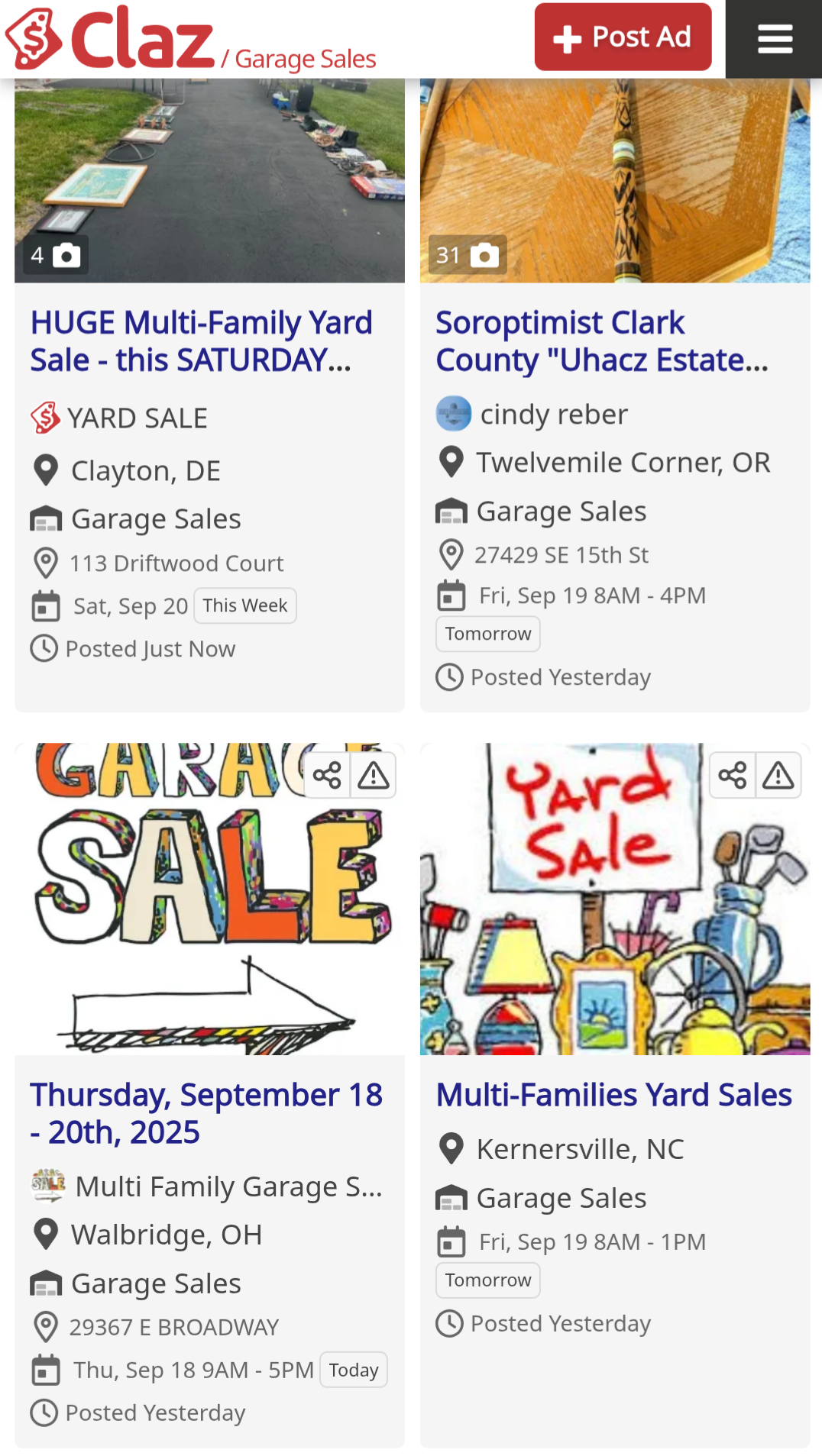
Tile Layout: Selected pages now feature our experimental tile layout, making content lighter and easier to scan with better visual structure.
AI-Powered Highlights: Our AI automatically extracts the two most critical details – address and date/time – from both text and images, highlighted in a dedicated block for instant visibility.
Time-Based Filters: New filtering options let users browse by timing (Today, Tomorrow, This week, Next week) to better plan their visits.
These changes focus on reducing friction and improving discoverability for time-sensitive listings.
We’d love to hear from you: how else can we improve the garage sales experience? Share your thoughts on our Review page or contact us directly
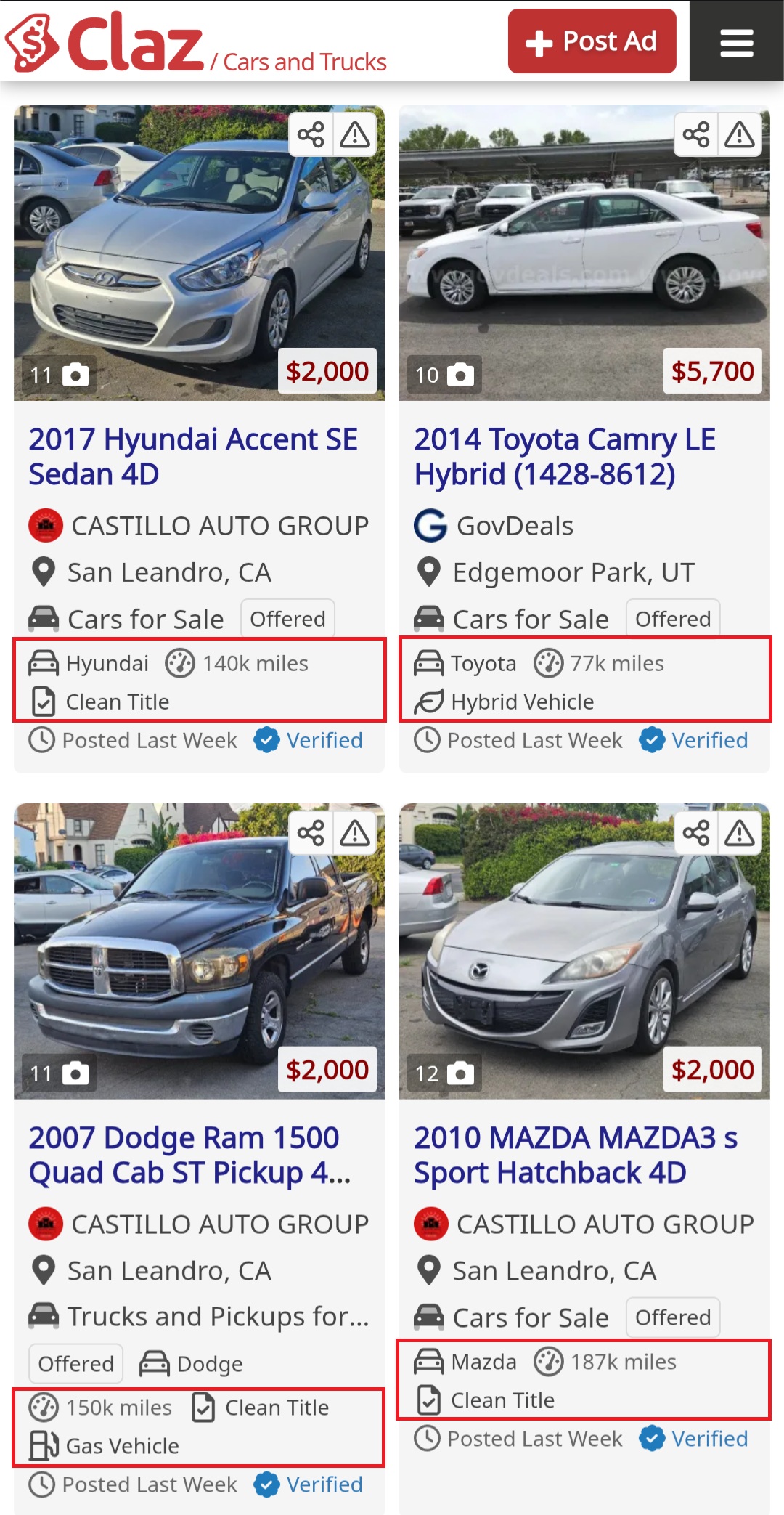
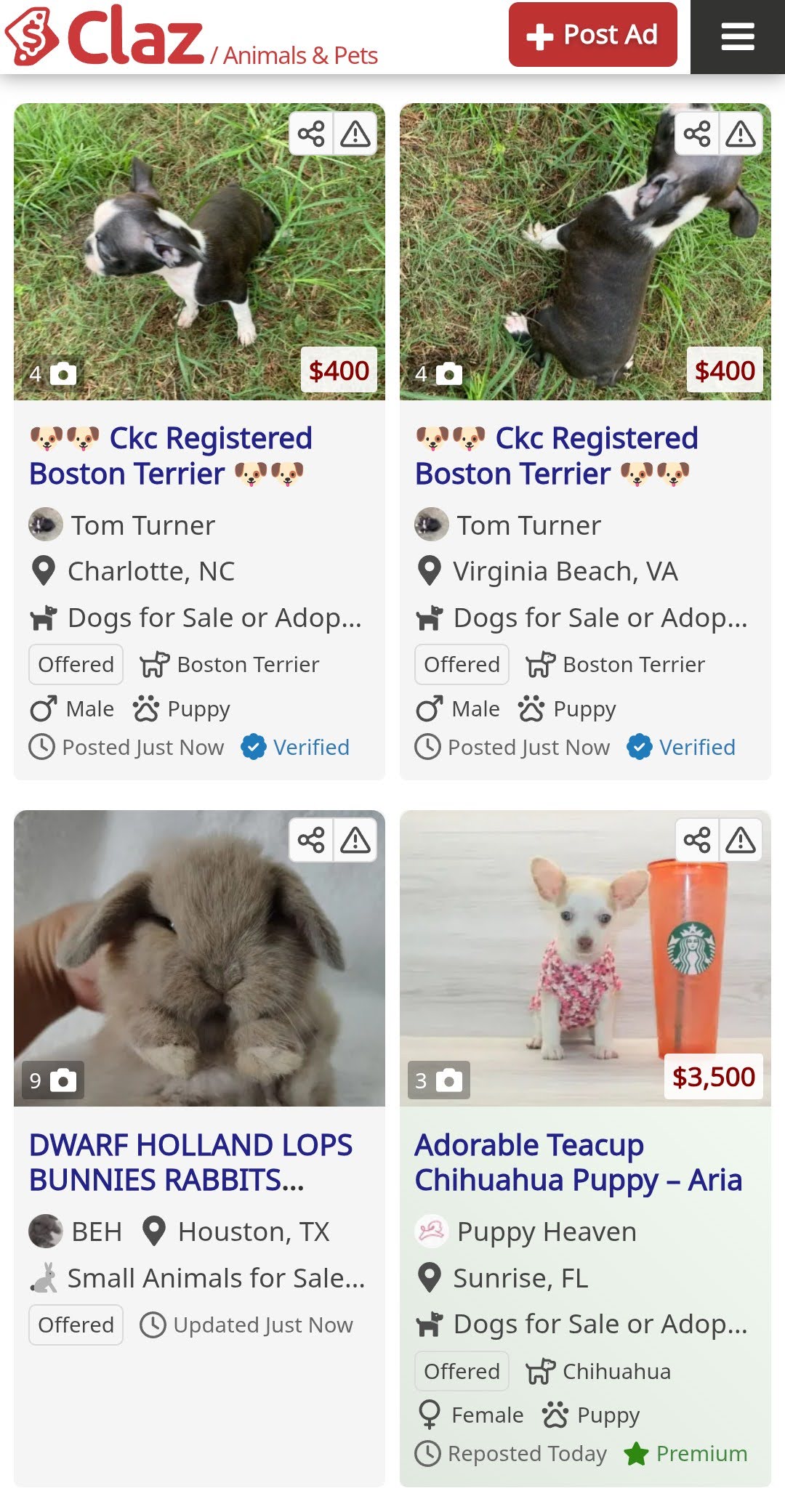
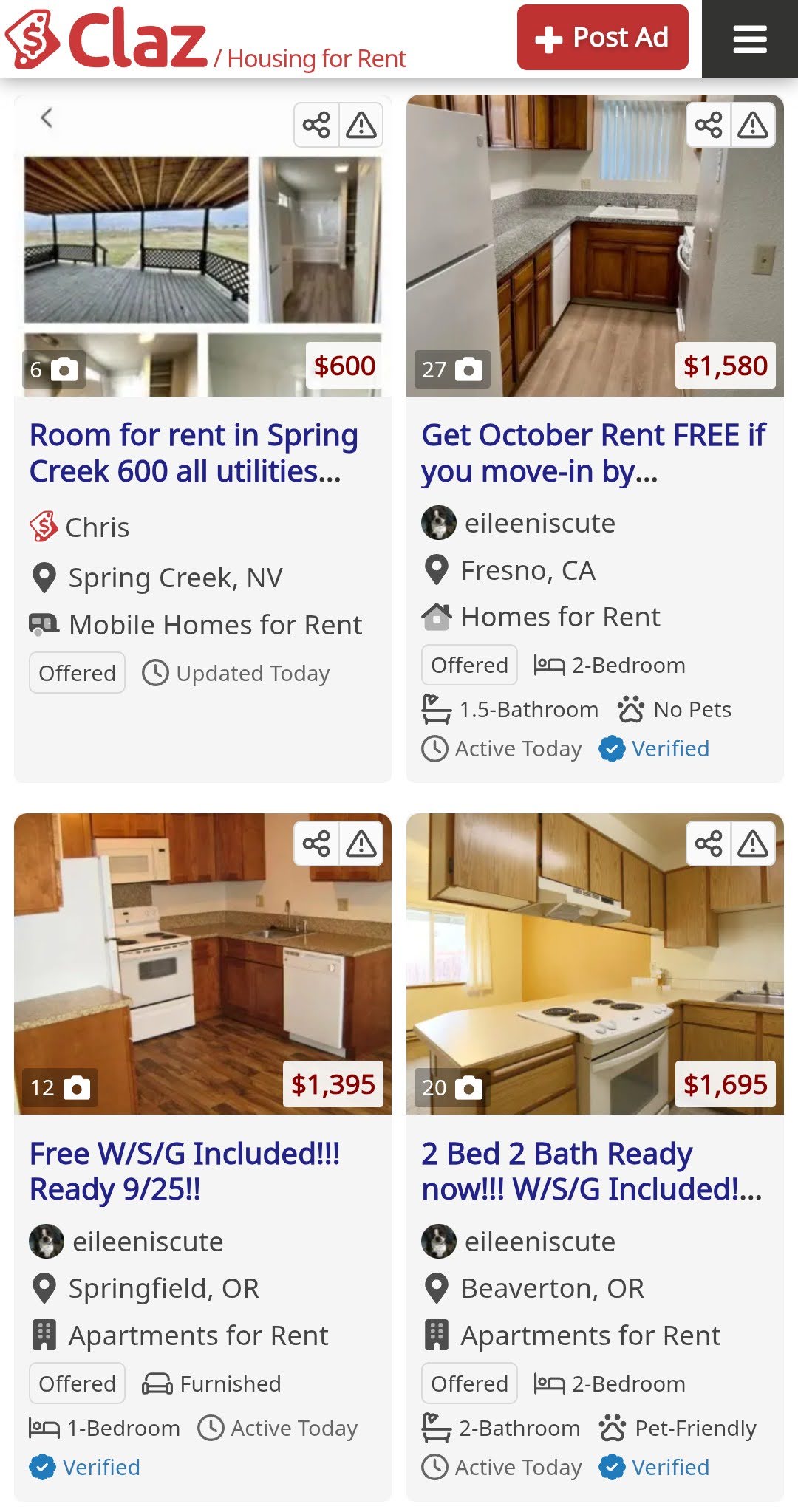
We’ve been experimenting with a new layout on some of our pages. Instead of long blocks of text, we switched to a tile view: short snippets with more visuals.
The idea is simple — make browsing easier, less overwhelming, and closer to the style people are used to from social platforms.
This is just a test, and we’d love to know what you think. Does it feel clearer? Do you miss the longer format?
We’re excited to introduce our latest improvements, designed to enhance listing management on Claz. This update simplifies the process of connecting, buying, selling, and renting, improving the overall user experience.
Why we think you’ll love it:
Simplified Communication: Making and managing offers on Claz listings is now easier than ever. Whether you’re buying, selling, renting, or requesting services, this feature streamlines your experience.
Improved Safety: Ensuring Claz is a secure environment for all users is our top priority. We are committed to continuously enhancing this feature with your safety as our main focus.
How to Get Started:
Click “Make Offer” on the listing to initiate communication.
Follow the prompts and notifications to complete your offer.
Our system will keep you updated on any changes to your offer and assist you with notifications and reminder emails.
We believe this new feature will make your experience on Claz more enjoyable and efficient.
We are thrilled to introduce our latest enhancement: the ability to upload images to conversations. This new feature transforms the way users interact, making conversations more dynamic and engaging for all users.
Why we think you’ll love this feature:
Improved Chats: Now you can share images for clearer communication.
Visual Interaction: This feature empowers users to share photos and other images making interactions not only informative but visually appealing.
How to start:
Select a Conversation: Open the conversation, where you’d like to share an image.
Upload an Image: Click on the attachment icon within the conversation to upload your required image.
We are excited to introduce our latest feature: the ability to make and accept offers on listings. This new feature streamlines interactions, making them efficient and convenient for all users.
Why we think it’s important:
Safety First: Our primary commitment is to make Claz a safer environment for all users, and we will continually enhance this feature, keeping safety our utmost priority.
Simplicity and Ease: This feature simplifies interactions between buyers and sellers, making Claz more user-friendly and efficient.
Increased Engagement: Another essential aspect is that it fosters improved engagement, benefiting both buyers and sellers by leading to more meaningful interactions.
How to start:
Find a Listing: Start by browsing our listings to find the item, property or the service you’re interested in.
Make an Offer: Click “Make an Offer” on the listing page to start.
Negotiate: Use the offer interface to communicate with the listing owner. Discuss terms, negotiate prices, and clarify any questions you may have.
Track Progress: You can track the status of your offer as it progresses.





 Claz Blog