Artificial Intelligence · New Features · Smart Listings

AI-Powered Quick Questions Enhance Listing Interactions

We’ve just rolled out a big improvement to how people interact with listings.
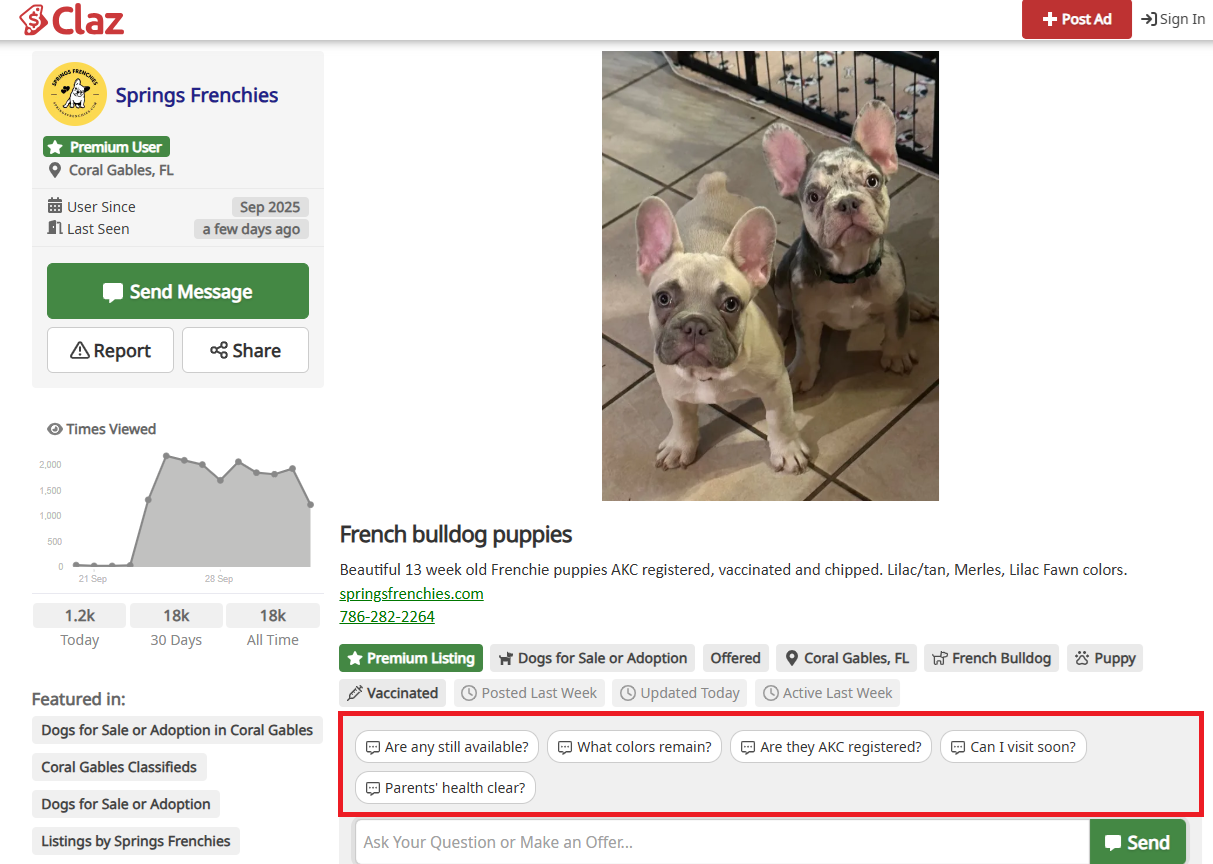
Our new AI-powered Quick Question blocks are now automatically adapted to each listing’s content.

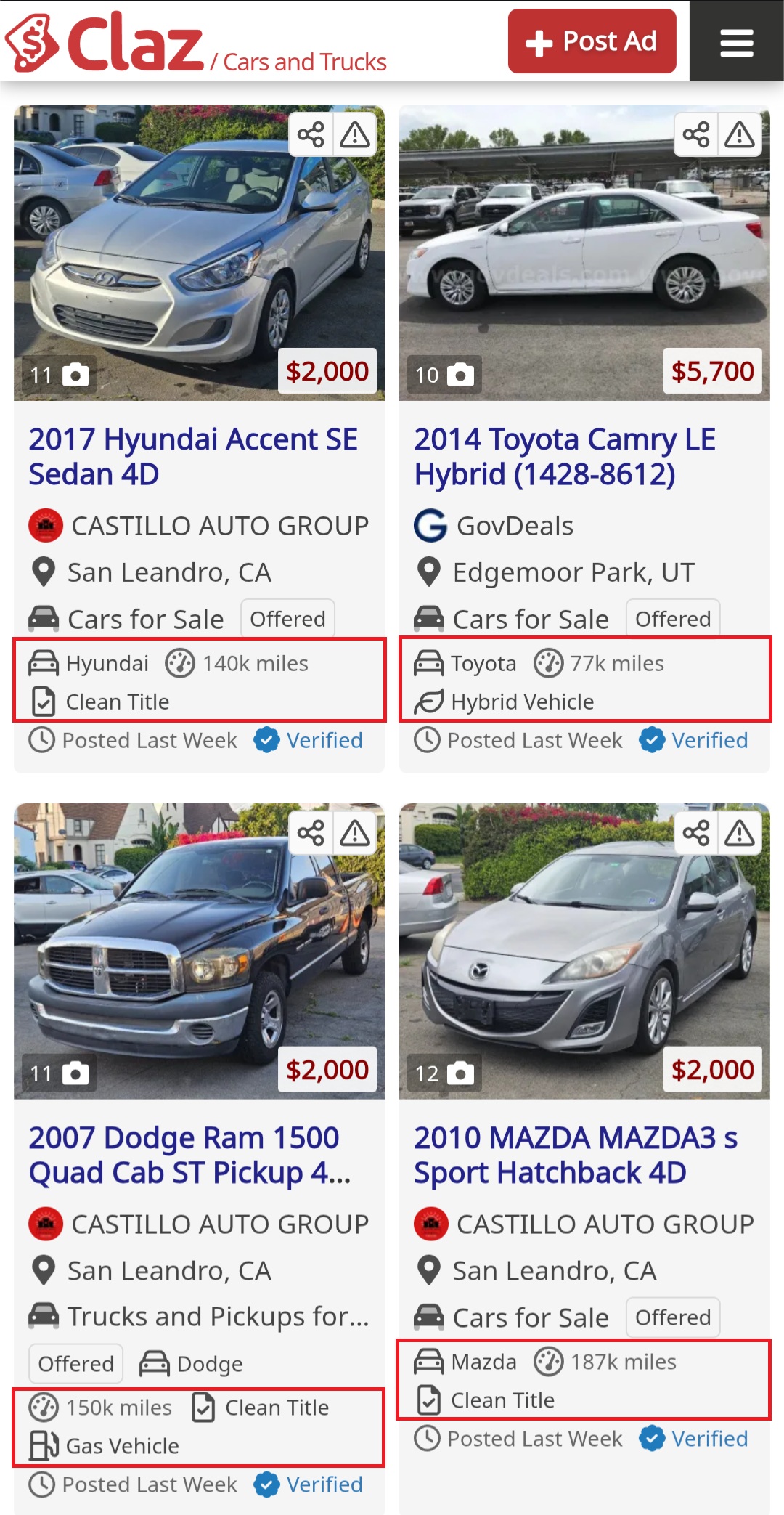
Instead of generic “ask seller” prompts, the system analyzes the ad and generates the most relevant quick questions — for example, availability, condition, documentation, or specific product details.

This makes it easier for buyers to:

  • Save time by asking the right questions instantly
  • Get more accurate information about the item or service
  • Start conversations faster with sellers

For sellers, it means more qualified leads and fewer repetitive questions.

This update is another step toward making online buying and selling smoother, smarter, and more human-friendly.

👉 We’d love your feedback:

  • What else would you like Quick Questions to cover?
  • Are there scenarios where they don’t add value?

Share your thoughts on our Review page or contact us directly — we’d love to hear your feedback.

Follow this post on our Social Media:
– Facebook
– X (Twitter)
– LinkedIn
Events

Celebrating Our Partnership Anniversary with CarCenterOnline

This September marks a special milestone for us – our partnership with CarCenterOnline.com celebrates another anniversary!

Since 2014, we’ve been proud to work alongside CarCenterOnline, a trusted and innovative platform for car search and selection. Over the years, they’ve proven to be a reliable partner and a service we’re always happy to recommend.

Working together has been an exciting journey filled with shared goals, collaboration, and growth. We look forward to many more years of successful partnership ahead!

If you’re looking for a smart, user-friendly way to explore and compare cars, we invite you to check out CarCenterOnline, subscribe to their updates, and follow them on social media.

👉 carcenteronline.com

👉 Explore all our partners here: claz.org/partners

Artificial Intelligence · New Features · Smart Listings

Enhancing Your Garage Sales Experience

We’ve shipped several improvements to enhance the garage sales browsing experience.

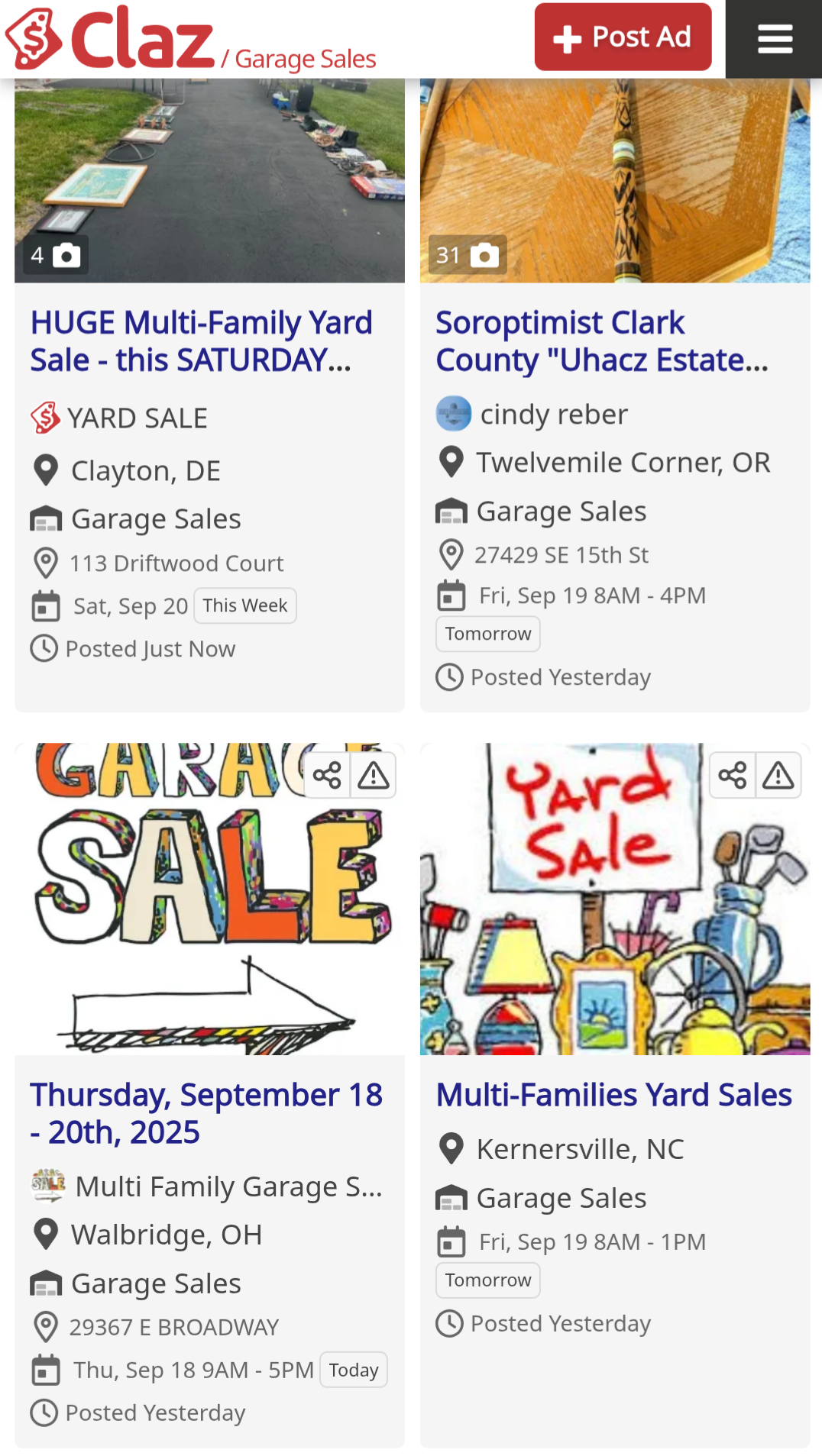
Tile Layout: Selected pages now feature our experimental tile layout, making content lighter and easier to scan with better visual structure.

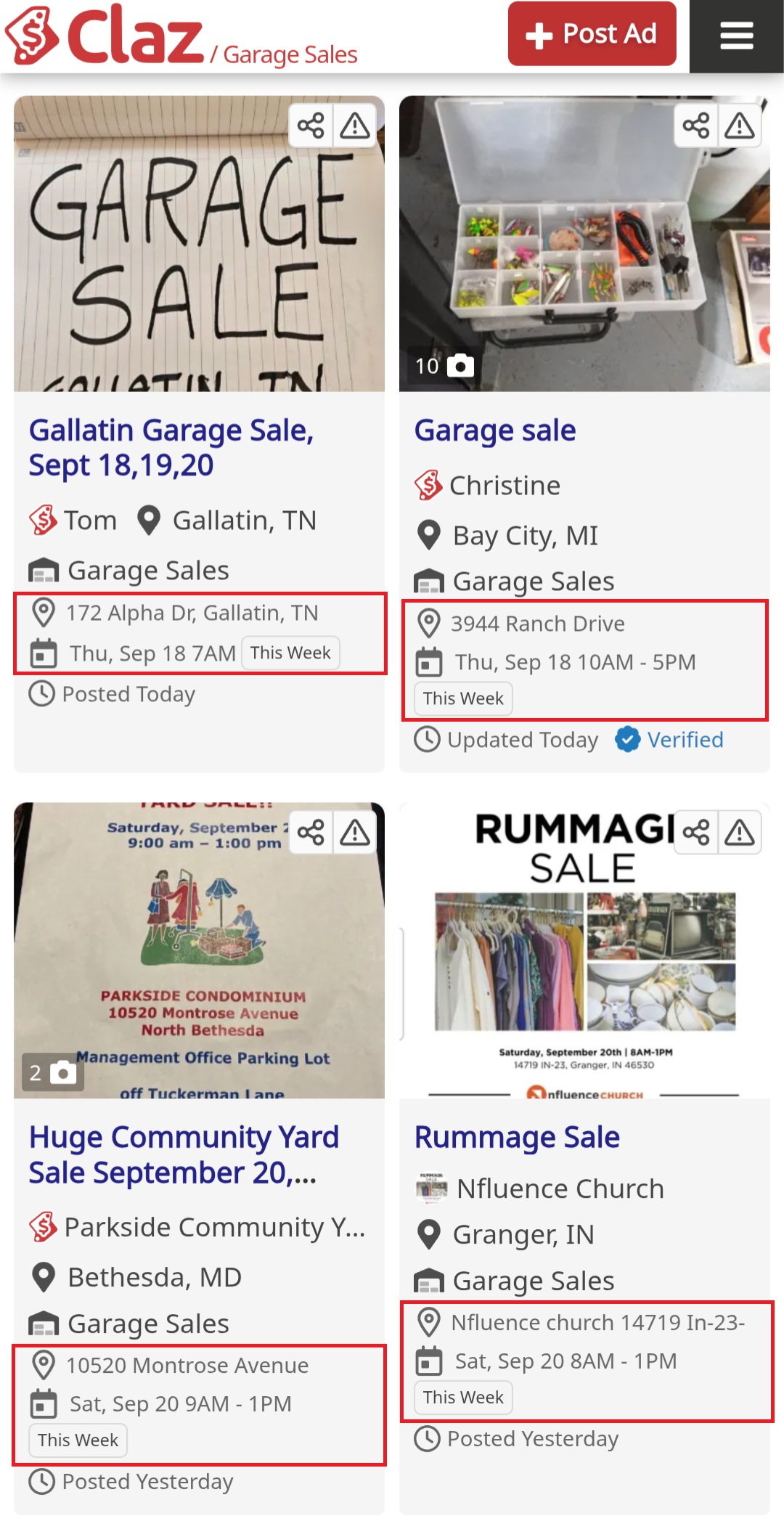
AI-Powered Highlights: Our AI automatically extracts the two most critical details – address and date/time – from both text and images, highlighted in a dedicated block for instant visibility.

Time-Based Filters: New filtering options let users browse by timing (Today, Tomorrow, This week, Next week) to better plan their visits.

These changes focus on reducing friction and improving discoverability for time-sensitive listings.

We’d love to hear from you: how else can we improve the garage sales experience?
Share your thoughts on our Review page or contact us directly

Follow this post on our Social Media:
– Facebook
– X (Twitter)
– LinkedIn
Artificial Intelligence · New Features · Smart Listings

AI-Powered Attribute Detection for Listings

We’ve shipped a new feature that automatically extracts key attributes from listing descriptions using machine learning.

What it does

The system identifies category-specific attributes from listing text:

  • Pets → breed, age, gender, vaccination status
  • Cars → mileage, title
  • Rentals → bedrooms, bathrooms, square footage
  • Garage sales → date, location

Currently supports 200+ attributes across 30+ categories.

The goal is to surface the most relevant information and make listings easier to scan.

Why It Matters

  • Clarity: important details are visible right away.
  • Smarter filters: you can search and filter by attributes, not just text.
  • Consistency: even when listings are written differently, key data points stay structured.

Feedback

The feature is live now. We’re particularly interested in:

  • Missing attributes you’d find useful
  • Cases where extraction failed
  • Ideas for additional categories

Drop feedback on our review page or contact the team directly.

Follow this post on our Social Media:
– Facebook
– X (Twitter)
– LinkedIn
New Features

September Update: Links in the description

We’ve rolled out the long-requested ability to add links to the listing’s description. This way users can provide more information about the items they’re selling or services they provide. It should also help small businesses to get in touch with visitors by linking to their business’es website, facebook or instagram accounts. 

pr links

This feature is still in the works and has certain limitations to prevent spam and abuse. Let us know what you think about it at feedback@claz.org

New Features

Better Handling of Policy Violations and Rejected Listings

In June we’ve updated our Security Policy and changed the way we notify our users about policy violations.

Many online services, especially Classified Ads, rely on ghosting to keep their users safe. It’s a technique where suspicious or banned content is hidden from other visitors. The owner of the ghosted content is unaware of the ban and has no way of getting back in good standing.

Here at Claz our mission is to maintain a healthy and safe user community. We believe that to succeed, we have to keep a good faith relationship with our users and visitors. We felt it was important to improve the way Claz handles suspected and rejected listings:

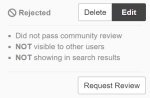
  • We’ve updated our system to better indicate to the users when the listing is rejected. Users can check the status of the listing (posted, pending, rejected) on My Listings page, Listing Details page, as well as get email notification with listing’s status changes


  • We’re now doing a better job communicating content-related issues to the users. Claz will send notification if security system was declined listing to post


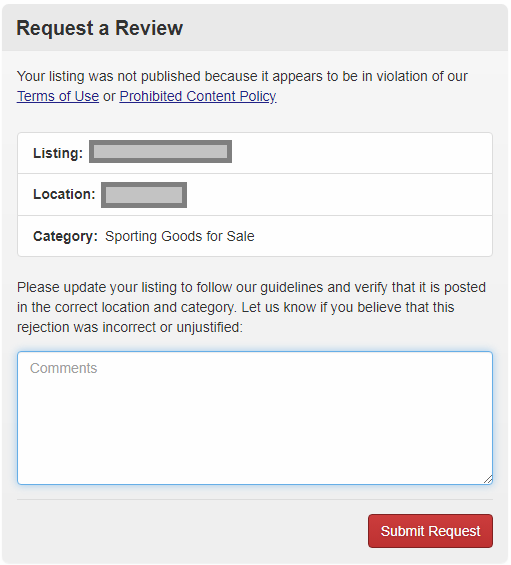
  • We’ve added a way for the users to appeal rejections and resolve content-related issues.It has now become possible to ask the administrators to review the ad if it has been blocked by security system by clicking on the Appeal button, if the user feels that he did not violate the TOS.

apealx1

We hope that these changes will make us more open with our users regarding policy violations and will help to build a better user community on the principles of openness, good faith and trust.

New Features

May Update: New Look

April and May have been busy months for us. We’ve just finished rolling out our latest updates and we hope you’ll like them.

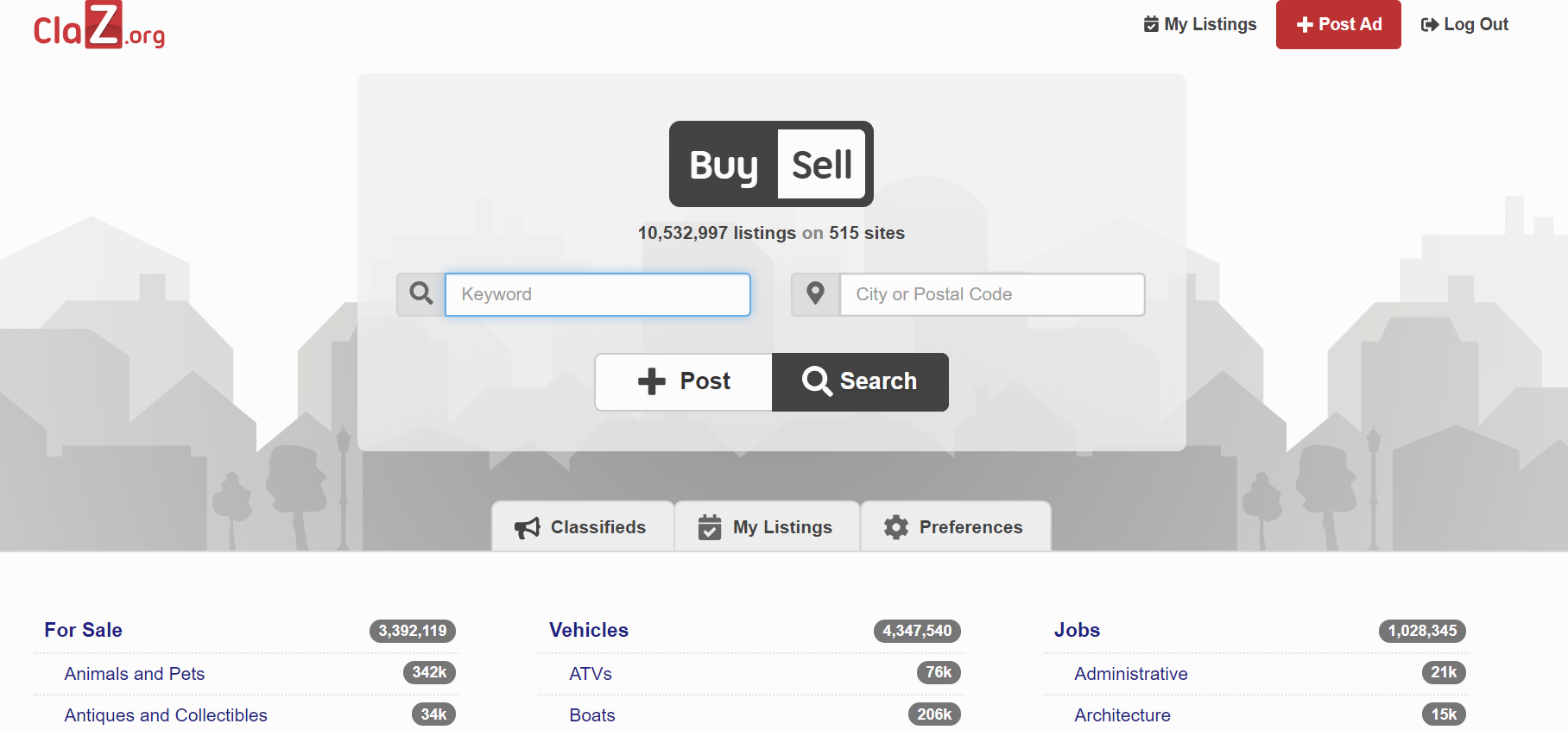
New look. We’ve changed the main theme to be concise and uniform across all pages. We rolled it out as an experiment for a small fraction of users in mid-March, analyzed site usage data and rolled out a global update for all users later in April. The new theme uses colors consistently across pages and makes it easier for users to access most used features of the site – search, “my listings” and user account pages.

new look desktop2

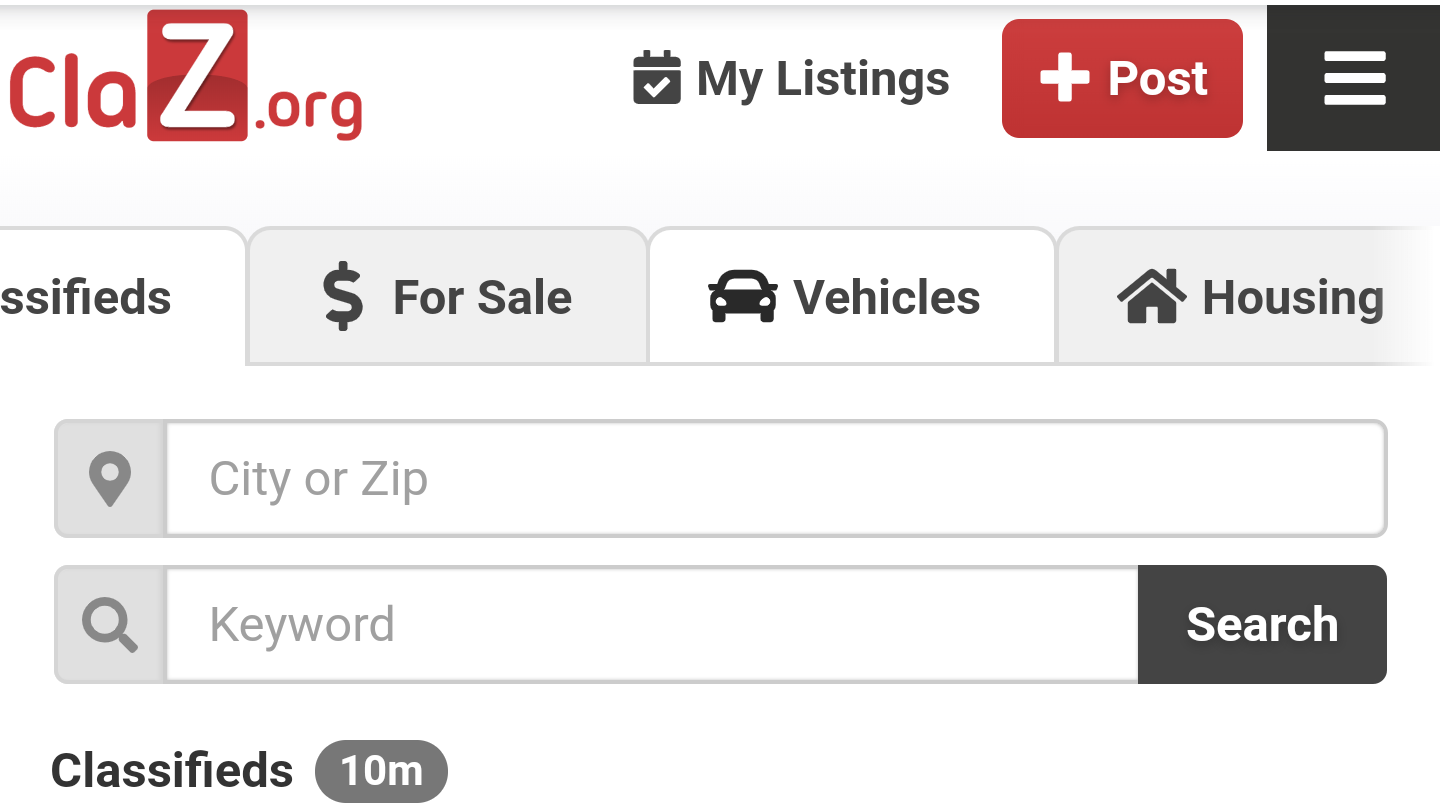
Scrollable tabs. We’ve made category tabs scrollable to allow us adding new categories and subcategories of listings in the future.

scroll tabs

Better Analytics. Users can now see detailed daily, monthly and historical stats for their ads – to help understand which of their listings work and attract more attention.

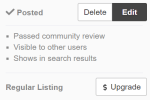
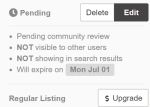
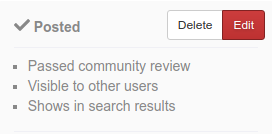
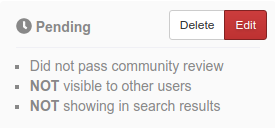
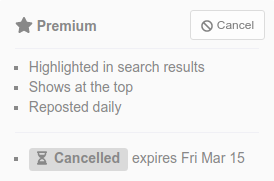
User-friendly listing status messages. We’ve added detailed explanation of the listing’s current status – whether it’s visible to other users and what is the status of the community review.

ksnip_20190506-083655

ksnip_20190506-084116.png

ksnip_20190506-083602.png

Please let us know what you think about these changes. We will continue to work and find new ways to make our service better for you.

New Features

February update: small things matter

We’ve spent most of February working on small incremental changes to make our service better and improve user experience.

Email Delivery: we’re now paying much more attention to the way our system forwards email responses and alerts to our users – to decrease the likelyhood of user messages being marked as SPAM. We’ve also revamped our Monthly Analytics Report to make it more informative and expressive and useful.

screenshot1

User Interface: We ran a series of A/B experiments to find out which elements of user interface are more usable and did a number of small tweaks. For example, we placed the Post Ad button at the top of the screen for mobile users to make creating new listings easier.

wtb

Also we’ve started showing extra links on the listing details page to help users find similar listings.

screenshot2

Social Networks: We’ve temporarily suspended featuring user listings on Facebook – to work out a way to reduce the chance of accidentally featuring SPAM/SCAM ads.

Bugs: We’ve fixed a problem with some users being unable to sign in because of special characters in their email address.