New Features · Smart Listings

Category-specific attributes on Post and Edit pages: housing, vehicles, pets, and more

We updated category attribute editing on Post Ad and Edit Ad pages after users asked for it.

What changed

The fields shown depend on the category selected. Pick Cars, Rooms for Rent, Apartments for Rent, Dogs, or another supported category, and the relevant attributes appear on post and edit pages.
Housing – bedrooms, bathrooms, square footage, furniture, pet policy, and smoking policy for rentals and homes for sale. Rooms for Rent also get bathroom (private or shared), gender preference, number of roommates, and street address.

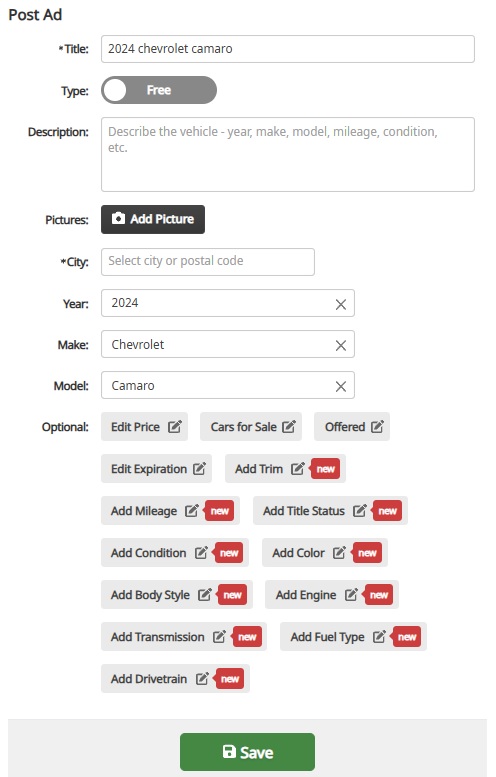
Vehicles – year, make, model, trim, mileage, title status, condition, color, body style, engine, transmission, fuel type, and drivetrain, depending on whether the listing is a car, truck, motorcycle, or similar.

Pets – breed, age, gender, and vaccination status for dog and cat listings.

For-sale items – condition where it applies.

The same attributes are available when posting a new ad and when editing an existing one.

How it works

1. Choose a category. The page loads the attributes that category supports from the server – one source of truth, not hard-coded per page.

2. Fields start collapsed under Optional, so the form stays clean. Open only what you need via links like Add Year, Add Breed, or Add Pet Policy. When several fields are still empty, Add optional details reveals the rest.

3. As you type the title and description, Claz recognizes attributes in the text and fills matching fields – for example, “2018 Honda”, “45k miles”, “unfurnished”, “no pets”, or “Rottweiler puppy”. Mention a detail once; you do not have to enter it twice.

4. If you clear a field or set it yourself, the system does not overwrite your choice when the text changes. Auto-filled values update only while they came from recognition – not values you saved on purpose.

5. Save the listing. Structured attributes make the ad easier to find, filter, and trust.

Why it matters

Search works best when listings describe what buyers actually filter on. Better attribute editing on post and edit pages means fewer vague ads, fewer repeat questions in messages, and better matches across housing, vehicles, pets, and more.

The updated structure also makes it straightforward to add attributes for more categories over time – the same pattern, driven by category.

Let us know what works

Try the updated post or edit flow in a category you use often and tell us what still feels missing – through support or the usual feedback channel.

New Features · Smart Listings

My Listings, redesigned: manage ads at a glance

For anyone who posts on Claz regularly, My Listings is where ads get paused, status gets checked, or an edit starts. That page was rebuilt to feel closer to My Favorites – visual cards instead of a dense table, especially on a phone.

What we did

Card layout with photo, price, and status on each listing

Keyword filter to find a specific ad in a long list

Rich details on each card – location, category, availability, and key attributes (same idea as Favorites)

Quick actions on the card: start, stop, and a menu for edit, premium, share, and delete

Bulk actions – stop all, start all, or delete inactive listings in one step

Mobile polish – cleaner layout, full-width action bar, and a bottom sheet for the menu

Why we did it

A table works for a handful of rows. It does not scale when someone is juggling dozens of listings across categories and statuses. Feedback was clear: scanning status, finding one ad, and pausing another took too many clicks – and on mobile it was worse.

The account area should also feel consistent. My Favorites already uses cards; My Listings now matches that look.

How it works

1. Open My Listings from the account menu.

2. Use All / Active / Inactive / Rejected tabs, or type a keyword to filter.

3. Listings are grouped by date posted so recent ads are easy to spot.

4. Tap pause or play on a card for a single listing, or use Stop All / Start All at the top.

5. Tap for edit, upgrade to premium, share, or delete.

The views chart still appears on the first page when traffic data is available.

Let us know what works

Anyone managing multiple listings can try the new page and share what still feels clunky – through support or the usual feedback channel.
Artificial Intelligence · New Features · Smart Listings

How to request help with your listing

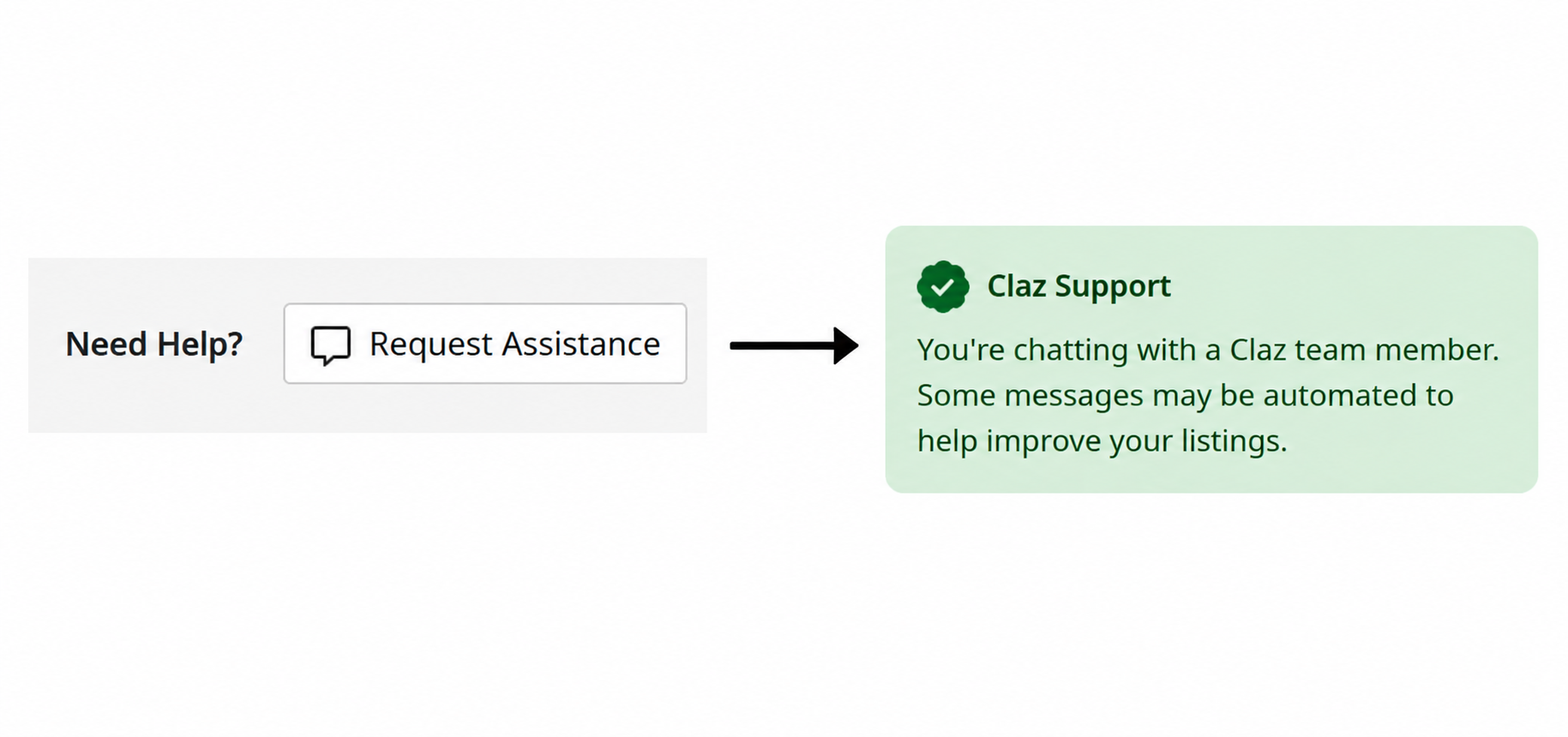
Request help is a new feature on the listing details page. Next time you run into an issue, give it a go.

The assistant does what it can to help you with your listing. It has all of the needed context and tools to help you with most issues. It will forward the request to a human support person if it’s unable to help or if you need to talk to a person.

How to use it

1. Go to your listing’s details page.

2. Click Need HelpRequest Assistance.

3. A conversation opens. The assistant handles most things right away and forwards to a person if it can’t handle it.

Feedback

Let us know how we can make it better!

Events · New Features · Smart Listings

Smart Search on post & edit pages

A while back we launched Smart Search to help buyers find what they’re looking for on Claz – one box that understands keywords, locations, and categories at once. Now Smart Search works on the other side too: posting and editing ads.

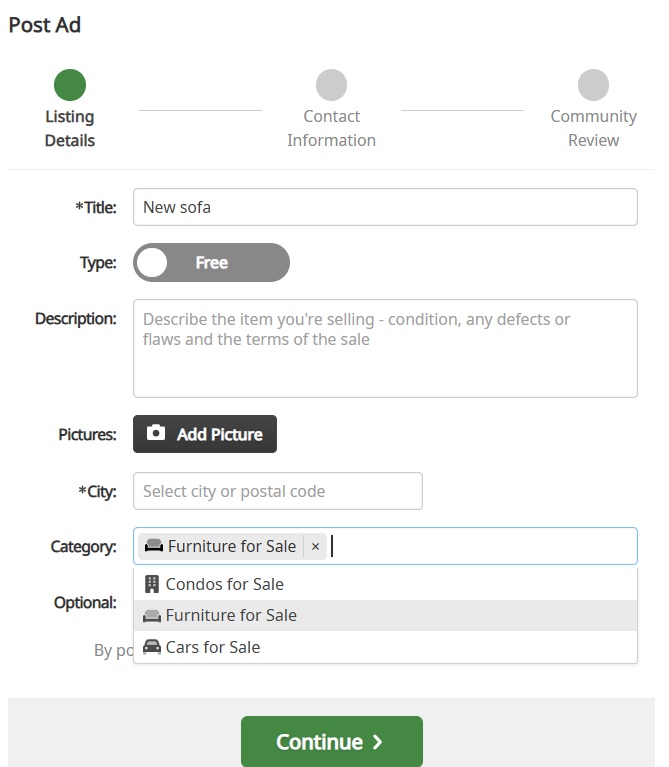
On post and edit pages, every field offers suggestions and fixes typos as you type. It pays attention to context: pick a category and the attribute and title suggestions narrow down to match what is already selected. Sometimes one word is enough – type a dog breed and Smart Search fills in the category, the breed attribute, a suggested price, and other related fields.

The same idea that helps buyers find listings now helps sellers describe them – fewer steps, less guessing, and a faster path from “I want to sell this” to a well-categorized listing.

New Features · Smart Listings

Smart Search: One box, better results

People don’t think in filters. They type what’s on their mind: “sofa vancouver”, “used bike”, “apartment near me”. A good marketplace search should understand that one line can include a keyword, a place, or a category – sometimes all at once.

That’s why we built “smart search” on Claz. As you type, it suggests keywords, locations, and categories together, with small hints when something matches indirectly – so it’s clear why it showed up. You can also refine your choices without getting stuck, especially on mobile where the search experience needs to be fast and forgiving.

The result: fewer steps, less guessing, and a quicker path from “I have an idea” to “here are the listings I want”.

This is just the start. We’ll keep improving suggestions, relevance, and speed so search feels less like configuring filters and more like simply asking for what you want.

Artificial Intelligence · New Features · Smart Listings

At Claz, we make AI work harder so users don’t have to

Listing something online usually means filling out forms — picking the right category, entering details one by one, formatting everything just right.

Claz strives for simplicity — but that doesn’t mean giving up on structure. Relevant details matter. They help people find what they’re looking for, and they help the site deliver better results. The problem is that filling in all those details is tedious, time-consuming, and inconvenient. Most services make people do more to get better results. At Claz, we make AI do more instead.

Claz has always worked to fill in structured data behind the scenes, with as little friction as possible. AI has become a powerful tool in making that happen at a completely different scale.

Extracting what’s already there

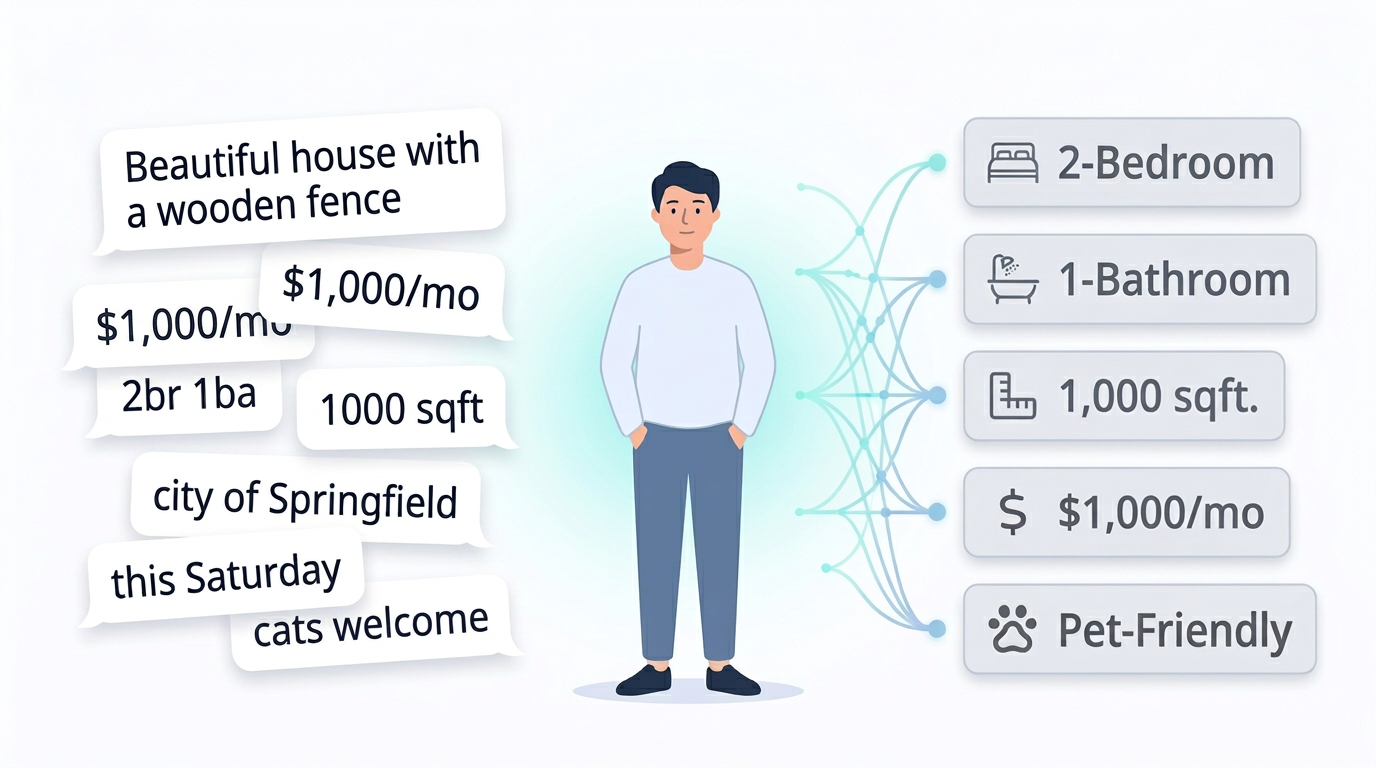
When someone lists something on Claz, AI reads what they wrote and fills in the details — price, location, dates, and dozens of other specifics depending on what’s being listed.

Someone writes “$1,000/mo, 2br, downtown” — AI picks up the price, bedroom count, and fills in the right fields. A garage sale flyer has the address on it — AI reads it. Someone writes “this Saturday” — AI resolves the actual date.

The information is already there. We make AI put it where it belongs — so users don’t have to.

Asking for what’s missing

Every type of listing on Claz has its own set of expected details. A rental needs bedrooms, bathrooms, and square footage. A dog adoption needs the breed. A garage sale needs a date and an address. AI knows what’s expected — and what’s still missing.

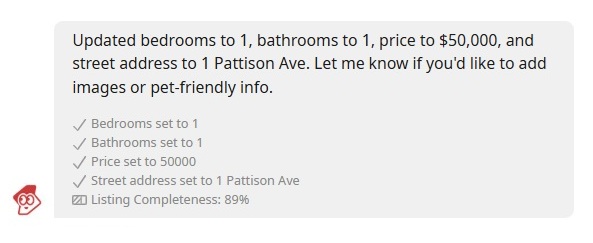
When something important is absent, an AI assistant reaches out in chat — the same chat used for regular conversations between buyers and sellers. It asks a simple question. The user replies naturally — “1000, 123 Main Street, ap. 7” or “2 br 2 ba” — and the assistant fills in the details on the spot.

It all happens in a quick back-and-forth — no forms, no extra steps — and the listing becomes significantly more complete without the user doing more.

Claz has always worked to take care of the details quietly and only reach out when something is truly missing. AI lets us do that better and at a much greater scale.

Everything at Claz is created by real people. We make AI work harder so their listings work harder for them.

Artificial Intelligence · New Features · Smart Listings

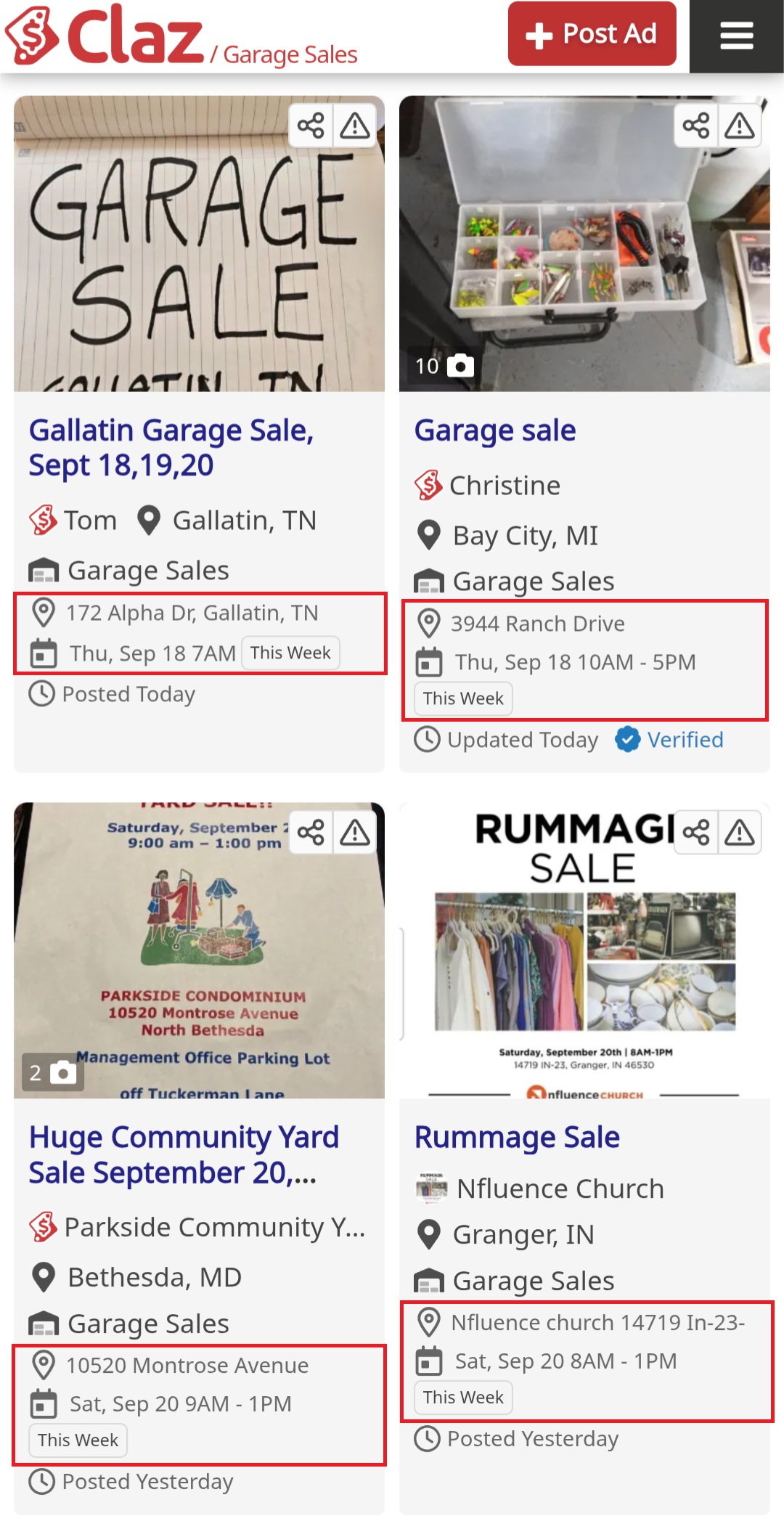
Enhancing Your Garage Sales Experience

We’ve shipped several improvements to enhance the garage sales browsing experience.

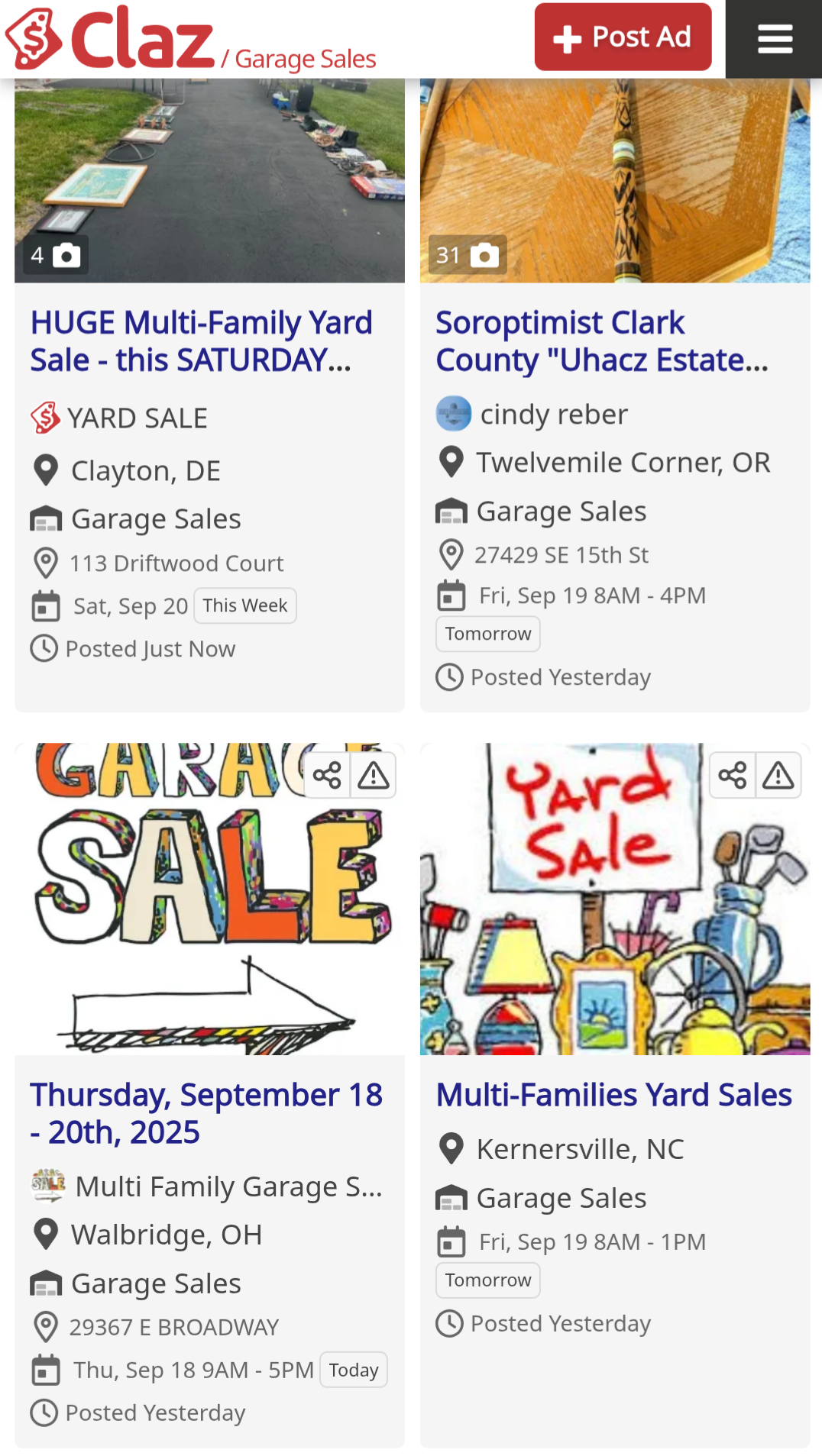
Tile Layout: Selected pages now feature our experimental tile layout, making content lighter and easier to scan with better visual structure.

AI-Powered Highlights: Our AI automatically extracts the two most critical details – address and date/time – from both text and images, highlighted in a dedicated block for instant visibility.

Time-Based Filters: New filtering options let users browse by timing (Today, Tomorrow, This week, Next week) to better plan their visits.

These changes focus on reducing friction and improving discoverability for time-sensitive listings.

We’d love to hear from you: how else can we improve the garage sales experience?
Share your thoughts on our Review page or contact us directly

Follow this post on our Social Media:
– Facebook
– X (Twitter)
– LinkedIn

Artificial Intelligence · New Features · Smart Listings

AI-Powered Attribute Detection for Listings

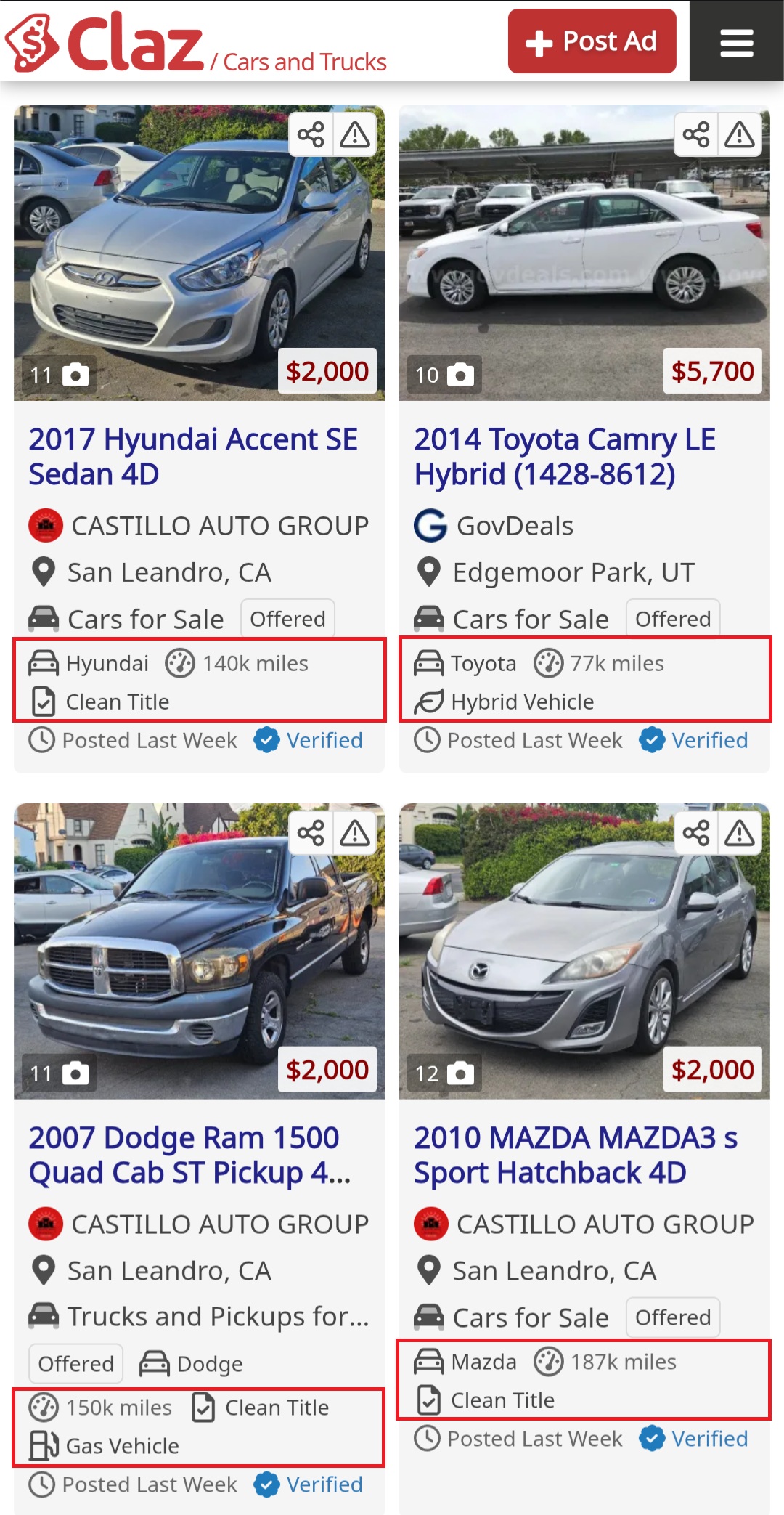
We’ve shipped a new feature that automatically extracts key attributes from listing descriptions using machine learning.

What it does

The system identifies category-specific attributes from listing text:

  • Pets → breed, age, gender, vaccination status
  • Cars → mileage, title
  • Rentals → bedrooms, bathrooms, square footage
  • Garage sales → date, location

Currently supports 200+ attributes across 30+ categories.

The goal is to surface the most relevant information and make listings easier to scan.

Why It Matters

  • Clarity: important details are visible right away.
  • Smarter filters: you can search and filter by attributes, not just text.
  • Consistency: even when listings are written differently, key data points stay structured.

Feedback

The feature is live now. We’re particularly interested in:

  • Missing attributes you’d find useful
  • Cases where extraction failed
  • Ideas for additional categories

Drop feedback on our review page or contact the team directly.

Follow this post on our Social Media:
– Facebook
– X (Twitter)
– LinkedIn